Your Basket
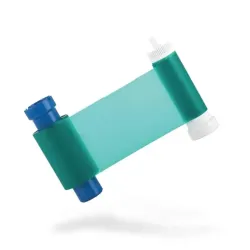
Model: 316-8339
Magicard MA1000K-Green Ribbon (1000 Print)This green monochrome ribbon prints single colour text, logos and line art in green on a compatible Magicard ID card printer. It is a simple way to add a colour accent to staff, visitor or membership cards without moving to a full colour ribbon.Each ribbon gives up to 1000 prints, with consistent results from the first card to the last. Ribbons can be region specific, so if your printer was bought outside the EU please check with us before ordering.Key featuresMagicard part MA1000K-Green (model 316-8339)Single colour green monochrome ribbonUp to 1000 prints per ribbonEasy to installCompatible printersMagicard 300Magicard 600Magicard E+Magicard Pronto..
£24.95
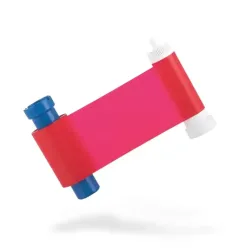
Model: 316-8338
Magicard MA1000K-Red Ribbon (1000 Print)This red monochrome ribbon lets you print in a strong red instead of standard black on your Magicard ID card printer. It works for fine detail such as text and outlines as well as larger graphics, so it is a simple way to make a card design stand out or to colour code different groups of cardholders.Each roll prints up to 1,000 images and is easy to fit. Please check the part number against your printer before ordering. Ribbons are made for specific regions, so this one may not work in a printer bought outside the EU.Key featuresRed monochrome ribbonUp to 1,000 prints per rollManufacturer code MA1000K-Red, model number 316-8338Prints text, outlines and larger graphicsEasy to installCompatible printersMagicard ProntoMagicard 300Magicard 600Magicard E+..
£24.95
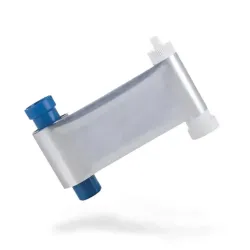
Model: 316-8335
Magicard MA1000K-Silver Ribbon (1000 Print)This silver monochrome ribbon lets you add a metallic finish to ID cards printed on a compatible Magicard printer. Silver works well for fine detail such as outlines and lettering as well as for larger logos and icons where you want the card to stand out from a standard black print.Each ribbon gives up to 1000 prints. Ribbons can be region specific, so if your printer was bought outside the EU please check with us before ordering. If you would rather not print in house, Castlemount can also produce the finished cards for you through its ID card printing service.Key featuresMagicard part MA1000K-Silver (model 316-8335)Single colour silver monochrome ribbonUp to 1000 prints per ribbonSuits fine detail as well as larger graphicsCompatible printersMagicard 300Magicard 600Magicard E+Magicard Pronto..
£63.95
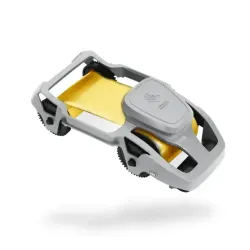
Model: 318-1211
Zebra 800300-306 Gold Ribbon (1500 Print)The Zebra 800300-306 is a monochrome ribbon that prints in gold. It is a single colour ribbon, which makes it a simple way to add a gold finish to names, logos or borders. It can also set one type of card apart from another, such as membership tiers.Each roll gives up to 1,500 card prints. Please check the part number against your printer before ordering. If you would rather not print in-house, Castlemount can also produce the cards for you through its ID card printing service.Key featuresGold monochrome ribbonUp to 1,500 prints per rollManufacturer code 800300-306Model number 318-1211..
£57.70
Model: 318-1212
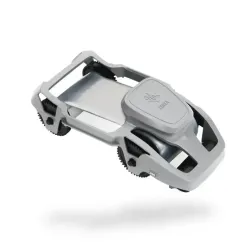
Zebra 800300-307 Silver Ribbon (1500 Print)The Zebra 800300-307 is a silver monochrome ribbon for Zebra ZC series card printers. Each roll prints up to 1,500 cards in a single silver colour.Silver gives a distinctive metallic look to names, logos and other text. It is a useful option for membership cards, loyalty cards or staff passes that need to look a little different from a standard black print. Please check the part number against your printer before ordering. If you would rather not print in-house, Castlemount can also produce the cards for you through its ID card printing service.Key featuresSilver monochrome ribbonUp to 1,500 prints per rollManufacturer code 800300-307Made for the Zebra ZC seriesCompatible printersZebra ZC100Zebra ZC300..
£57.70
Model: 44-3607
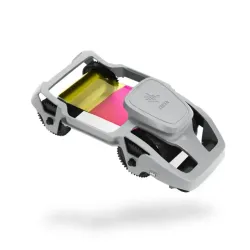
Zebra ZC300 800300-370EM Half Panel YMCKO Ribbon (400 Print)This half panel YMCKO ribbon is made for the Zebra ZC300 card printer. The colour panels cover half the card, so you can print a photo or logo in full colour on one half and use the black panel for names and other text on the rest. Because the colour panels are half size, less ribbon is wasted.The overlay panel lays a clear protective coat over the printed card to help it cope with daily wear. Each roll gives up to 400 prints. Not sure which ribbon your print job needs? Get in touch and we will help you choose.Key featuresHalf panel YMCKO: yellow, magenta, cyan, black and overlayColour covers half the card, reducing ribbon useBlack panel for textOverlay panel for added protectionUp to 400 prints per rollZebra part number 800300-370EMCompatible printersZebra ZC300..
£32.70
Model: 318-1214
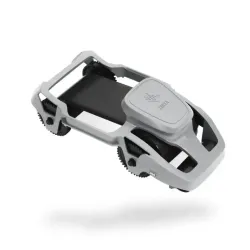
Zebra ZC300 800300-320EM Black with Overlay KDO Ribbon (700 Print)This Zebra KdO ribbon combines a black panel with a clear overlay film. It is made for the Zebra ZC300 and gives up to 700 prints per roll.The black panel prints sharp text and barcodes, then the overlay film is laid over the printed card to protect it against scratches and fading from UV light. That makes it a good fit for cards that are handled every day, such as staff ID or access cards where the barcode has to keep scanning. Please check the part number against your printer before ordering. If you would rather not print in-house, Castlemount can also produce the cards for you through its ID card printing service.Key featuresBlack panel with protective overlay filmUp to 700 prints per rollManufacturer code 800300-320EMOverlay helps protect against scratching and UV fadingSuited to printing barcodesCompatible printersZebra ZC300..
£49.70
Model: 44-3650
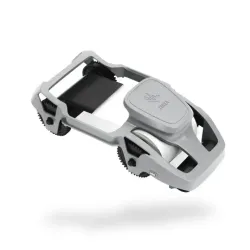
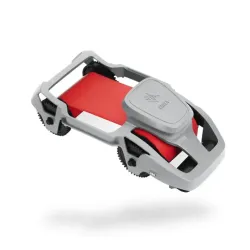
Zebra ZC300 800300-321EM Black Resin with Overlay KRO Ribbon (700 Print)The Zebra 800300-321EM KrO ribbon prints black resin text, barcodes and QR codes on the Zebra ZC300, then applies a clear overlay across the card. The overlay adds a protective layer that helps cards stand up to daily handling, which matters for passes that are swiped, carried and shown many times a day.The ribbon gives 700 single sided prints or 350 double sided. It is a sensible choice where cards carry text and codes rather than colour photos.Key featuresZebra part 800300-321EM (model 44-3650)K = black, r = resin, O = overlaySharp black text, barcodes and QR codesClear overlay panel for extra durability700 single sided or 350 double sided printsCompatible printersZebra ZC300..
£49.70
Out Of Stock
Model: 318-1208
Zebra 800300-302 Red Ribbon (1500 Print)This red monochrome ribbon from Zebra prints single colour text, logos and line art in red on ZC series ID card printers. Red is a useful way to mark out a card type at a glance, for example visitor or contractor passes.Each ribbon gives up to 1500 prints and is designed for the Zebra ZC100 and ZC300. If you are not sure which ribbon your printer takes, get in touch with your printer model and we will help you choose.Key featuresZebra part 800300-302 (model 318-1208)Red monochrome ribbonUp to 1500 prints per ribbonFor Zebra ZC series printersCompatible printersZebra ZC100Zebra ZC300..
£25.70
Model: 318-1216A
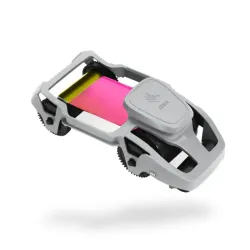
Zebra 800300-250EM YMCKO Colour Printer Ribbon (200 Prints)The Zebra 800300-250EM is a YMCKO colour ribbon for the Zebra ZC100 and ZC300 card printers. Yellow, magenta and cyan combine to print detailed full colour images including photos. The black resin panel prints precise text and barcodes. The overlay panel adds a clear protective coat that helps prevent fading and day to day wear.Each roll gives up to 200 prints and comes with a cleaning roller to help keep your Zebra printer in good condition. Ribbons are region specific, so a printer bought outside the EU may not accept this one. Please check your printer model before you order.Key featuresYMCKO: yellow, magenta, cyan, black resin and overlayUp to 200 prints per rollCleaning roller includedOverlay helps prevent fading and wearZebra part number 800300-250EMCompatible printersZebra ZC100Zebra ZC300..
£29.20
Choosing the Right Printer Ribbon
Monochrome printer ribbons print in a single colour, and suit text, barcodes or simple designs where full colour isn't needed. Full colour YMCKO ribbons print in yellow, magenta, cyan and black, with a protective overlay panel, giving photo-quality results for staff and visitor ID cards.
If your printer produces cards on both sides, you'll need a YMCKOK ribbon, which adds a second black panel for the reverse side.
Ribbons are printer-specific, so always check your exact printer model before ordering. They aren't interchangeable between brands, or between different models from the same brand.
 Blank ID Cards
A range of blank ID cards and smart access control cards.
View Products
Blank ID Cards
A range of blank ID cards and smart access control cards.
View Products
 Cleaning Kits
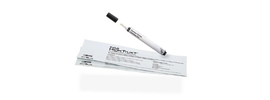
Keep your printer running cleanly.
View Products
Cleaning Kits
Keep your printer running cleanly.
View Products
 Lanyards
Wear and display printed cards day to day.
View Products
Lanyards
Wear and display printed cards day to day.
View Products
Finishing Your Printed Cards
Once your cards are printed, you'll need a way to wear and protect them. Our ID card accessories are ideal for this: Lanyards
Wear and display printed cards day to day.
View Products
 ID Card Holders
Keeps cards safe and visible.
View Products
ID Card Holders
Keeps cards safe and visible.
View Products
 ID Badge Reels
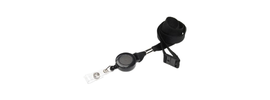
Ideal for cards being used for access control systems.
View Products
Blank ID Cards
Don't forget to stock up on plastic ID cards while you're here.
View Products
ID Badge Reels
Ideal for cards being used for access control systems.
View Products
Blank ID Cards
Don't forget to stock up on plastic ID cards while you're here.
View Products