Your Basket
Our service is used by hundreds of businesses, schools, colleges, charities and organisations throughout the UK.
- Fast dispatch. We dispatch new orders in 2-3 working days.
- No minimum order. Start with a single card. No minimum order limits.
- Proof first. Approve your design before we start printing.
- UK owned and operated. A family business, UK owned and operated since 1987.
How it works - standard orders
Configure your ID cards using our online card builder. Our expert in-house bureau team sends you a proof of your design to approve before we start printing, quality-check and prepare your order for dispatch. We aim to have your order with you within 2-3 working days of your proof being approved.
- Configure your cards. Use our card builder to select volume, choose your printing options, confirm encoding and finalise your design.
- Approve your proof. We'll share a proof of your ID cards for you to review and sign off before we start printing.
- We print and check. Our bureau team prints your ID cards and completes a quality check.
- Your order ships. Your cards are printed, checked, packed and dispatched directly to you.
Custom or bulk orders
For larger runs, variable data, or designs outside the card builder's options, our bureau team works directly with you.
Our automated system produces ID cards with variable data quickly. Once your design is on file, you can order any number of cards whenever you need them, with no minimum order.
How it works:
- Send us your card design, or work with our artwork team, along with the data you'd like printed, including images and staff details.
- If you're using our artwork service, we'll email you a proof of your design for approval.
- We produce your ID cards in our in-house printing bureau.
- We dispatch your order within 2-3 working days.
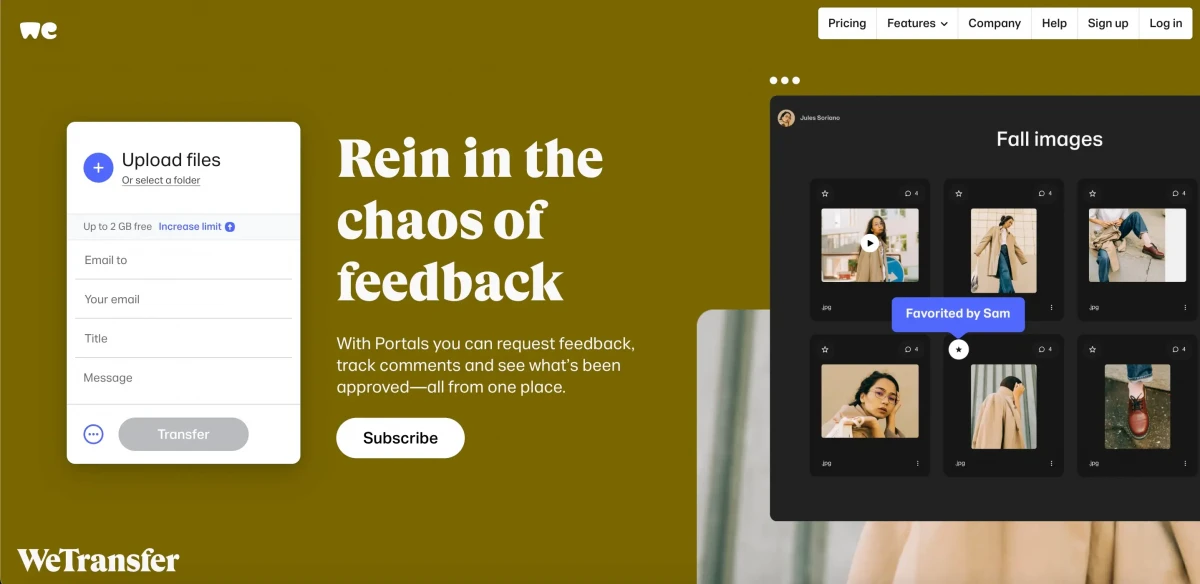
Please address your artwork and data to info@castlemount.co.uk, either directly or using WeTransfer, once your order is placed.
Design and artwork
If you don't have artwork ready, our artwork service can help. For £24 (ex. VAT), we'll work with you to create your ID card design. Let us know if you have specific logos, fonts or colours you'd like included.
Taking photos for ID cards
- Use a mobile phone, digital camera or webcam.
- Choose a room with as much natural light as possible, with your subject facing the light source.
- Position your subject against a white or neutral background, with no wall charts or notices visible in shot.
- Frame a head-and-shoulders shot only.
- Use a flash if you have one. It improves results even in natural light.
Photos should be JPG, JPEG, PNG or PDF, in portrait format, and ideally no larger than 200kB.
Sending us your data
Do:
Send data securely. We recommend WeTransfer, a free, secure, UK GDPR compliant file transfer application. For example, attach your photos and spreadsheet to a WeTransfer link and send it to info@castlemount.co.uk, rather than emailing large files directly.
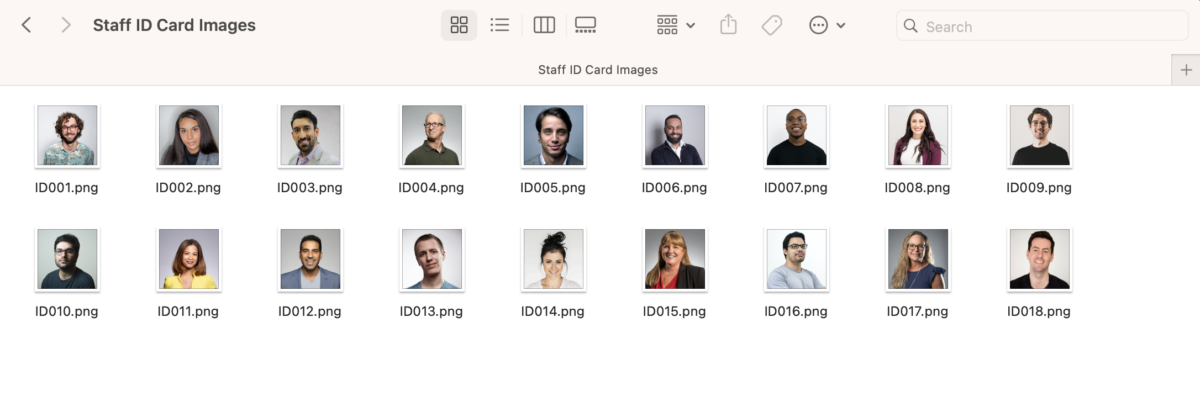
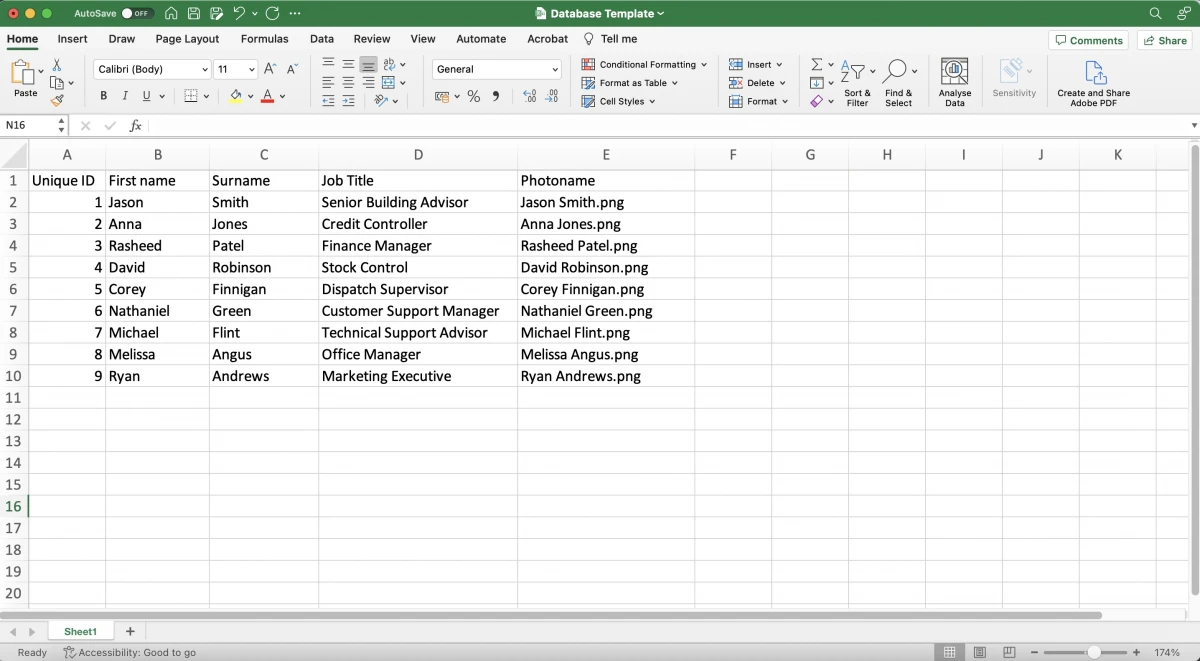
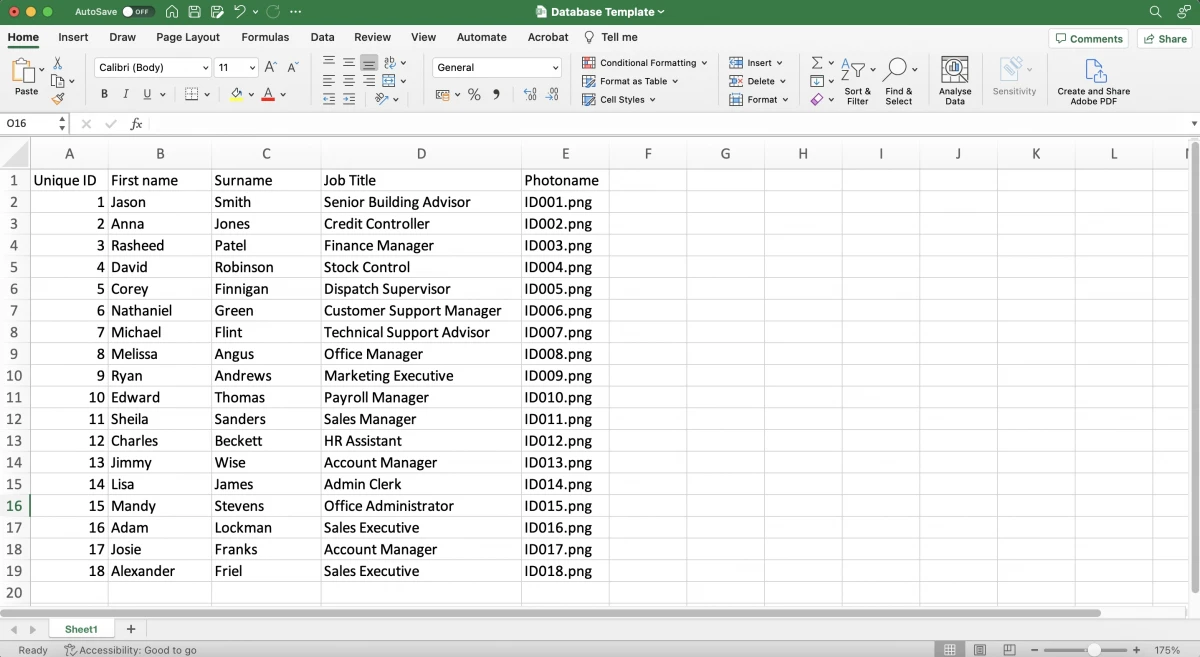
Name your files to match a column in your spreadsheet. For example, if your spreadsheet has a "Photo Name" column listing Sarah_Jones, your image file should be saved as Sarah_Jones.jpg.
Use a spreadsheet for your data, especially if you order frequently or order multiple cards at a time. For example, one row per cardholder, with columns for first name, surname, job title and photo name.
Consider using EasyBadge to send your data to us via app.
Don't:
Insert images into a Word or Excel file. Send them as separate named image files. For example, don't paste 30 staff photos into a Word document. Send 30 separate .jpg files instead, each named to match your spreadsheet.
- Naming your files: provide a separate image file for each card, clearly labelled so we can match it to the correct record. Use the person's full name, or a unique identifier such as an ID number. If you're sending large volumes of data, an ID number is safer than a name, since names can duplicate. For example, use EMP0234.jpg rather than John_Smith.jpg if you have multiple staff members who might share a name.
- Data spreadsheet: provide your data in an Excel spreadsheet, with a separate column for each field, such as first name, surname and job title. Add your file names in the Photo Name column so we can match each photo to the correct record.
Artwork formats we accept: PSD, AI, PDF, JPG, BMP, PNG, EPS, JPEG. For best results, supply vector-based artwork at a minimum of 300dpi.
Placing multiple orders
If you place several orders a day, week or month, consider bulking these together. If you hold a credit account and pay by BACS, bulking payments into one monthly payment helps us process these efficiently. We can issue a monthly statement to support this.
Let us know if you need accessories such as cardholders or lanyards with every order. We can set this as a default on your account so it's never missed.
Please confirm your delivery address when placing each order. We send orders under 18 cards by Royal Mail 1st Class unless you request otherwise.
How we handle your data
We store your data, including photos, for 30 days from the completion of your order. After that, we delete it automatically. Please check your order as soon as you receive it, so if there's a mistake, we can put it right quickly.
If you'd like us to store your data for longer than 30 days, email info@castlemount.co.uk and we'll update your account. If you'd like your data deleted sooner, let us know in writing.
This retention period applies to personal information and photos only. It doesn't affect the card design we hold on file for you.
For full details, see our Terms and Conditions and Privacy Policy.