Your Basket

15 Sep
0 Comment(s)
66 View(s)
Staff ID cards are one of those things every business ends up needing sooner or later. A new starter joins and needs a way to identify themselves. A client visits and expects to see who they're dealing with. A door needs an access card instead of a key. Whatever the reason, making staff ID cards doesn't need to be complicated, but it does help to know what goes into a good one before you start.
Why staff ID cards matter
A well-made staff ID card does more than just look professional. It helps colleagues and visitors know who they're speaking to, it gives your team a simple way to prove they work for you, and if it's encoded, it can double up as an access card for doors, car parks or IT systems. For customer facing teams, a clear photo ID also builds trust the moment someone walks through the door.
It's a small detail, but it's one that says a lot about how organised a business is.
What to include on a staff ID card
Most staff ID cards follow a similar format, and for good reason. It's a layout that works. A typical card includes:
- A clear, recent photo of the employee
- Full name and, where relevant, a preferred name
- Job title or department
- Company logo and branding, usually in your brand colours
- An employee or ID number, useful for internal records
- An expiry date, if cards need to be reissued periodically
- A barcode, QR code or encoded chip, if the card needs to work with an access system
You don't need every element on every card. A small team might just want a name, photo and brand logo. A larger organisation with building access and IT systems will usually want the card doing more than one job. This is where bespoke services are important so you can get it just right for your business.
Step by step: how to make ID cards for staff
1. Decide what information you need
Start by working out what the card needs to do. Is it purely for identification, or does it also need to open doors, clock staff in and out, or work with a till system? This decision shapes everything else; from the card material you choose to whether you need encoding built in.
2. Choose your card size and material
Most staff ID cards use the standard CR80 size, the same size as a bank card, since it fits neatly into card holders and existing access readers. Cards are usually printed on durable PVC, which holds up well to daily use in a wallet, lanyard or pocket.
3. Design your card
This is where the card starts to look like your business. Keep it simple and accessible: a clear photo, readable text, and your logo somewhere prominent. If you already have brand guidelines, use your existing colours and fonts so the card feels consistent with everything else you produce. If you don't have a designer in house, this is often the step businesses choose to outsource, since getting the layout right first time saves reprinting further down the line.
4. Add encoding if you need building or system access
If your staff cards need to open doors or integrate with an access control system, they'll need encoding, such as RFID or proximity chips, built in at the printing stage. It's worth checking with whoever manages your access system what type of encoding it uses before you order, so the cards work with your existing readers from day one.
5. Print a proof before you commit
Before printing a full batch, always check a proof. This is your chance to spot anything that needs correcting, a misspelled name, a logo that's slightly off, colours that don't quite match, before it's printed onto every card. A few minutes here can save a full reprint later.
6. Choose lanyards and holders
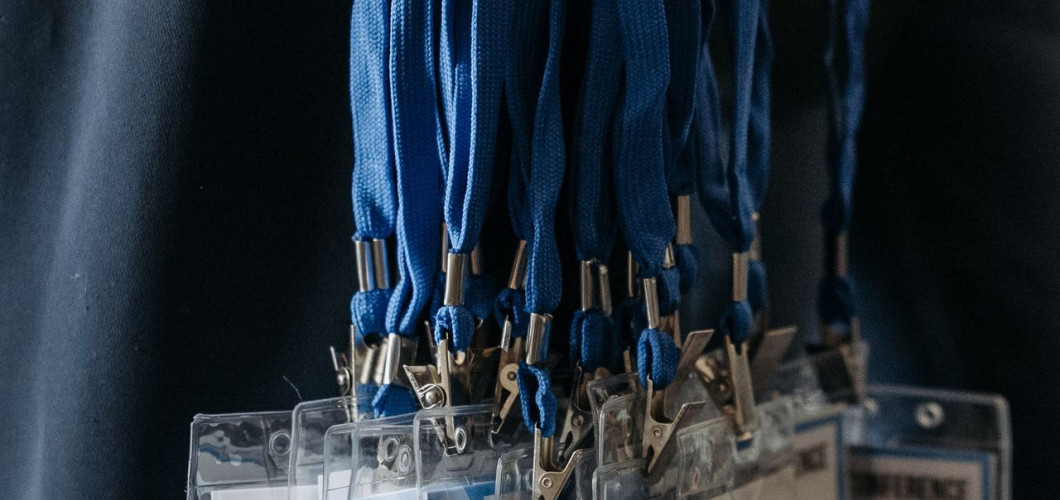
Once the cards themselves are sorted, think about how staff will actually wear or carry them. A lanyard keeps a card visible and easy to access throughout the day, while a card holder protects it from wear, scratches and fading. Both are inexpensive additions that make a real difference to how long a card lasts.
7. Print and issue
The final step is printing the cards and getting them into staff hands. For a small batch, this might happen all at once. For larger or growing teams, it's worth setting up a simple process for new starters, so ordering a new card becomes routine rather than something that needs figuring out from scratch each time.
DIY printing vs using a bureau service
There are two realistic routes to making staff ID cards: printing them in house or using a specialist ID card printing service.
Printing in house makes sense if you need cards regularly and in reasonable volume. You'll need an ID card printer, blank cards, ribbons and someone with the time to manage the process, including troubleshooting when a printer jams or a ribbon runs low.
Using a bureau service suits most businesses, particularly smaller teams or anyone who doesn't need cards often enough to justify owning a printer. You send over your logo, employee details and photos, approve a proof, and receive finished cards ready to hand out. There's no printer to maintain, no ribbons to reorder, and no learning curve.
If your team is likely to grow, change, or need occasional top up cards for new starters, outsourcing tends to be the simpler and more cost-effective option, especially when there's no minimum order to worry about.
Ready to create your staff ID?
Making staff ID cards doesn't need to be a big project. Decide what the card needs to do, keep the design clean and on brand, and choose a printing route that fits how often you'll need new or replacement cards. Whether you print in house or use a bureau service, the result should be a card your team is happy to wear, and your business is happy to put its name to. Build your staff ID cards with the team at Castlemount today.
FAQs about creating staff ID
How much do staff ID cards cost
Pricing for staff ID cards usually comes down to volume, printing (single or double sided), and whether encoding is required. As a rough guide, smaller orders of a handful of cards cost more per card than larger batches, since setup and design work is spread across more cards. We offer tiered pricing, so ordering 50 cards works out cheaper per card than ordering five and ordering 250 or more unlocks the best rate along with a dedicated point of contact for reorders.
What size should a staff ID card be?
The standard size is CR80, the same as a typical bank card. It's a universal fit for card holders, lanyards and most access control readers.
Do I need special software to design a staff ID card?
Not necessarily. Many ID card providers offer an online card builder that lets you add your logo, photos and employee details without any design software. If you'd rather not do it yourself, most bureau services can design the card for you.
If you're printing cards in house, having card design software makes the process much easier, but if you buy your ID card printer from us, it comes complete with ID-ALL Starter, a great card design software that is simple to use from the moment your printer arrives.
Can staff ID cards double up as access cards?
Yes, if your card includes an RFID or proximity chip, it can be encoded to work with most access control systems, so staff only need to carry one card for identification and building access.
How long does it take to get staff ID cards printed?
Wait times vary by provider, but many UK bureau services dispatch orders within two to three working days once a design proof has been approved. At Castlemount, we have an express option which means if your design is with us by 1 pm, your cards are dispatched the next day. For standard orders, your cards take 3-5 working days to be dispatched.