Your Basket
04 Sep
Posted By
0 Comment(s)
64 View(s)
Ordering ID cards used to mean phone calls, emailed briefs, and a fair amount of back-and-forth before anything went to print. Our online ID card printing service now lets you design, proof, and order cards from your desk, whether you need five cards for a small team or five hundred for a new site launch, without sacrificing the quality control that comes from working with our experienced print bureau.
What "Online ID Card Printing" Actually Means
Online ID card printing covers two slightly different services, and it's worth knowing which one you need:
- A self-service card builder, where you choose your card format, upload artwork or photos, and configure options like encoding directly through our website, which is ideal if you already know what you want and just need it produced.
- A guided bureau service, where you send your requirements and data to our design team, who create the artwork, send you a proof, and handle production on your behalf. This is better suited to organisations without in-house design resource, or with more complex requirements.
We offer both so you can move quickly when you know exactly what you want and get proper design support when you don't.
Step 1: Prepare Your Artwork and Data
Before you open our card builder, a few minutes of preparation saves a lot of back-and-forth later.
Logos and branding
Have your logo ready as a high-resolution file (EPS, or a large JPEG or PNG). A logo pulled from a website or letterhead often won't be sharp enough once scaled up to card size.
Staff or member photos
This is where most delays happen if it isn't planned for. Good practice for ID photos:
- Head-and-shoulders shot only, portrait orientation
- Subject facing forward, with even, natural lighting (a flash helps even in daylight)
- A plain, neutral background, free of anything distracting behind the subject
- Saved as JPG, PNG or PDF, ideally under 200KB per image
- Clearly named or numbered so each photo can be matched to the right record (for example, Surname_Firstname.jpg)
If you're collecting photos from a team, a shared naming convention agreed in advance avoids a slow, error-prone matching process later.
Personal data
Names, job titles, ID numbers, and any other text fields should be collected in a simple spreadsheet, with column headers that match what will appear on the card. This is particularly important for bulk orders, where data is often merged directly into the print run.
Step 2: Choose Your Card Format
ID cards aren't one-size-fits-all. Common formats include:
- Portrait: the standard choice for staff and visitor ID, sized to fit a lanyard or badge holder vertically
- Landscape: often used where a card needs to display more information side-by-side, or to fit a particular holder style
- Open-face: a cut-out window design, typically used with certain badge reel or holder types
Card size itself is almost always the standard ID-1 format (85.6mm x 54mm), the same size as a credit card, which is why it fits standard lanyards, holders, and card printers regardless of provider.
Step 3: Decide What the Card Needs to Do
Before finalising a design, it's worth being clear on function, not just appearance:
- Visual ID only: a photo, name, and organisation details, for basic identification
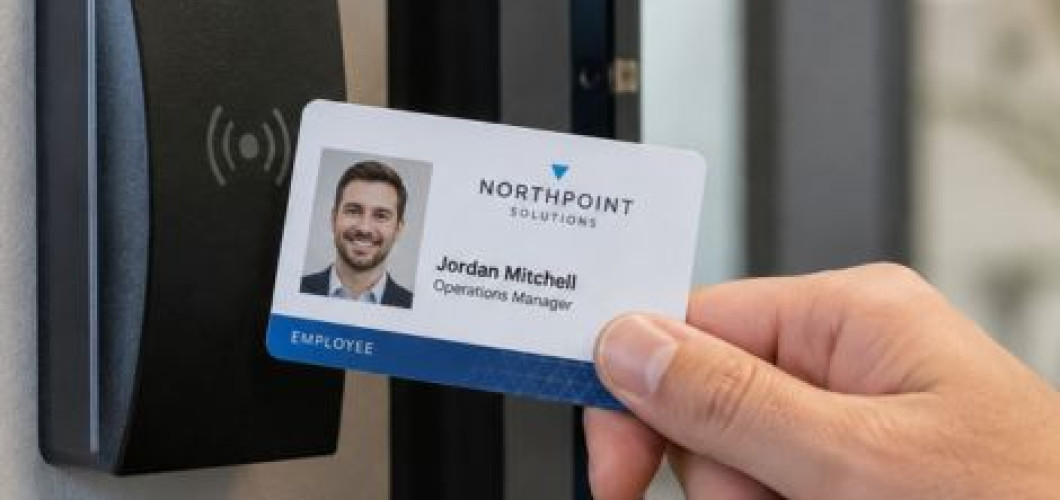
- Access control: requires encoding such as a magnetic stripe, proximity (RFID), or smart chip, so the card can be read by a door or system
- Both sides printed: many organisations use the reverse of the card for a return address, terms of use, a barcode, or additional branding (our guide to what goes on the back of an ID card covers this in more detail)
Getting this right at the design stage matters, because encoding options need to be built into the card stock itself, it's not something that can easily be added after cards have already been printed.
Please note: If your cards need RFID or smart chips encoding as well as printing, please speak with our bureau team directly who can provide a quote for your exact system setup.
Step 4: Use the Online Card Builder
With artwork, photos, and data ready, the card builder itself is usually the quickest part of the process. A good online card builder will let you:
- Select your card format, quantity, and finish
- Upload your logo, photos, and data
- Choose any encoding requirements
- Preview how the finished card will look before submitting
No minimum order is worth checking for specifically, as some providers require bulk quantities, which is unhelpful if you just need a handful of cards for new starters or a small event. With our online builder, there is no minimum order. You can order one card or 1,000. However, if you are ordering over 250 cards, please get in touch with our team and we can provide you with a quote and a timescale.
Our online builder also allows you to order lanyards and ID card holders, so your cards will arrive with everything you need to kit your employees with their new identification.
Step 5: Approve a Proof Before Anything Is Printed
This step matters more than it might seem. If you use our bureau design service, you'll get a proof showing your actual data and photos in the finished layout, so you can check it before production begins. This is where you catch the errors that are easy to miss on screen: a cropped photo, a misspelled name, a logo that doesn't sit quite right at card size. If you're supplying your own finished artwork, it prints exactly as sent unless you add a proof at checkout, so it's worth adding one if you want that same check before your cards go to print.
Skipping this step is the most common reason organisations end up reordering cards they've already paid for.
Step 6: Printing, Quality Checks, and Dispatch
Once a proof is approved, cards move into production. A well-run bureau will:
- Print to a consistent standard across the full batch, not just the first few cards
- Offer a protective finish (commonly a resin coat or laminate) so text and photos don't wear or scratch off with daily handling
- Quality-check the finished cards before packing
- Dispatch with tracking, so you know when to expect delivery
Our typical turnaround for ID card printing is around 1-3 working days with our express service and 3-5 working days with our standard service from proof approval to dispatch. It's worth confirming with any provider before you order, particularly if you're working to a start date for new staff or an event.
Step 7: Reordering
Once your design and data format are set up with a provider, reordering additional cards for new starters, replacements, or a growing team should be quick. You shouldn't need to resubmit artwork or go through the full design process again each time. We keep your template and settings on file while removing any employee data in accordance to GDPR laws, so repeat orders are just a matter of sending updated names and photos.
Data Protection When Ordering Online
Because ID card orders involve personal data, names, photos, and sometimes job or access information, it's worth checking that any provider you use is properly set up to handle it. Look for:
- Registration with the Information Commissioner's Office (ICO)
- A clear, published approach to GDPR compliance
- Secure handling of the data and photos you send, and clarity on how long they're retained after your order is complete
This is a reasonable thing to ask about before placing an order, not just something to assume.
Ordering Your Cards
Online ID card printing has made it far quicker to get professional, durable ID cards without the delays that used to come with the process, provided you prepare your artwork and photos properly, choose the right format and encoding for how the card will actually be used, and work with a provider that proofs your design before anything is printed.
At Castlemount, our online card builder lets you configure your cards, upload your artwork, and get a proof to approve, with no minimum order and dispatch within 2-5 working days of approval (depending on which service you choose). If you'd rather talk it through first, our UK-based bureau team can help you get the design and specification right before you order.
Online ID Card Printing Frequently Asked Questions
Can I order ID cards online without design experience?
Yes. You can pick one of our ready-made landscape or portrait templates and drop in your own logo, photo and text, or hand the whole job to our bureau team for a custom design service and we'll build the artwork from your brief. That option includes a proof with up to five rounds of changes before anything goes to print, so you're not committing to a first draft.
How long does online ID card printing take?
That depends on which service you choose. Express and standard both run from a 12pm GMT cutoff for artwork signoff: get your approval in before midday on express and your cards ship the next working day, while standard jobs ship later in the same week. Sign off after 12pm and the job rolls onto the next working day's cutoff, so it's worth getting your approval in early if a start date matters.
What file formats do I need for photos and logos?
Photos and artwork can be uploaded in standard image formats (png or jpeg) or PDF files through the builder. If you're supplying your own artwork, it prints exactly as you send it unless you add a photo proof (a small one-off charge) to check everything sits correctly before the run goes ahead. If you'd rather not handle the design yourself, our bureau service builds the artwork for you and a proof is included as standard.
Can I add encoding for access control later or does it need deciding upfront?
It needs deciding upfront. Our card builder lets you add magnetic stripe encoding (LoCo or HiCo) at the point of ordering, but this must be built into the card stock during production, so it isn't something that can be added once a card has already been printed.